Lets Lucky App In Australia For 18+ Users
Play on your phone with setup, deposits, and safer limits. Available in Australia for adults 18+ with mindful play tools built in.
Play Now!







































Mobile Play Overview For Australia
Mobile casino play is built for short sessions: open the lobby, pick a game, set stakes, and stop when your timer says so. Access from Australia should be treated as “use where permitted” - rules can vary by location and payment method, so it’s smart to check what applies before you deposit. Imagine you are on a lunch break and want ten calm minutes. You need a clear cashier, stable connection, and limits you can reach in one tap.
On smaller screens, the best habit is learning the four core areas: account, cashier, support, and limits. Once you know where those live, you spend less time hunting and more time playing intentionally.
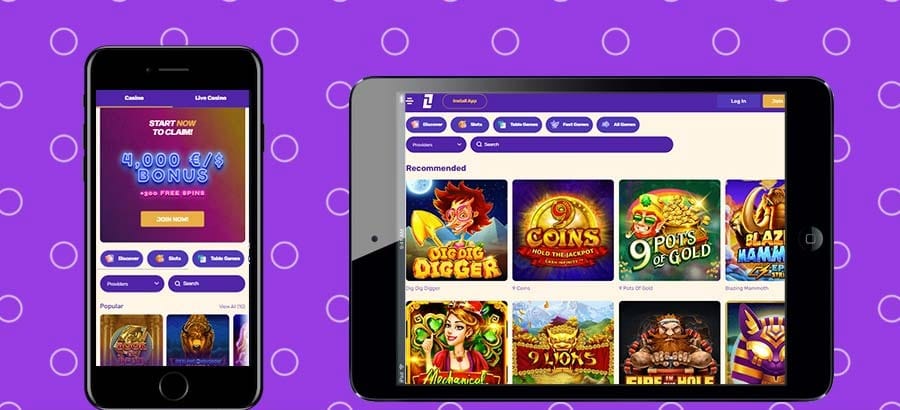
Install Options And Device Requirements
Treat installation like setting up a new bank app: update your operating system, enable a lock screen, and free enough storage for smooth loading. Picture the classic mistake. You install while rushing out the door, the network drops, and you end up with a half-finished setup that fails later. Install at home on stable internet, restart once, then sign in.
Platform Choice
iOS users typically install through Apple’s standard channel; Android users often install through a trusted store or a verified installer flow provided inside the platform environment.
Read Permissions
A casino application shouldn’t need contacts or microphone access just to run games, so if a prompt feels odd, pause and review.
Test Performance
If your phone is older, consider starting in a browser session first. Many players test the layout there, then switch to the installed version only after they know performance is comfortable.
Clean Start Check
Open the application once, let it finish initial downloads, then close it fully and reopen. If you see repeated loading loops, clear cache and try again.
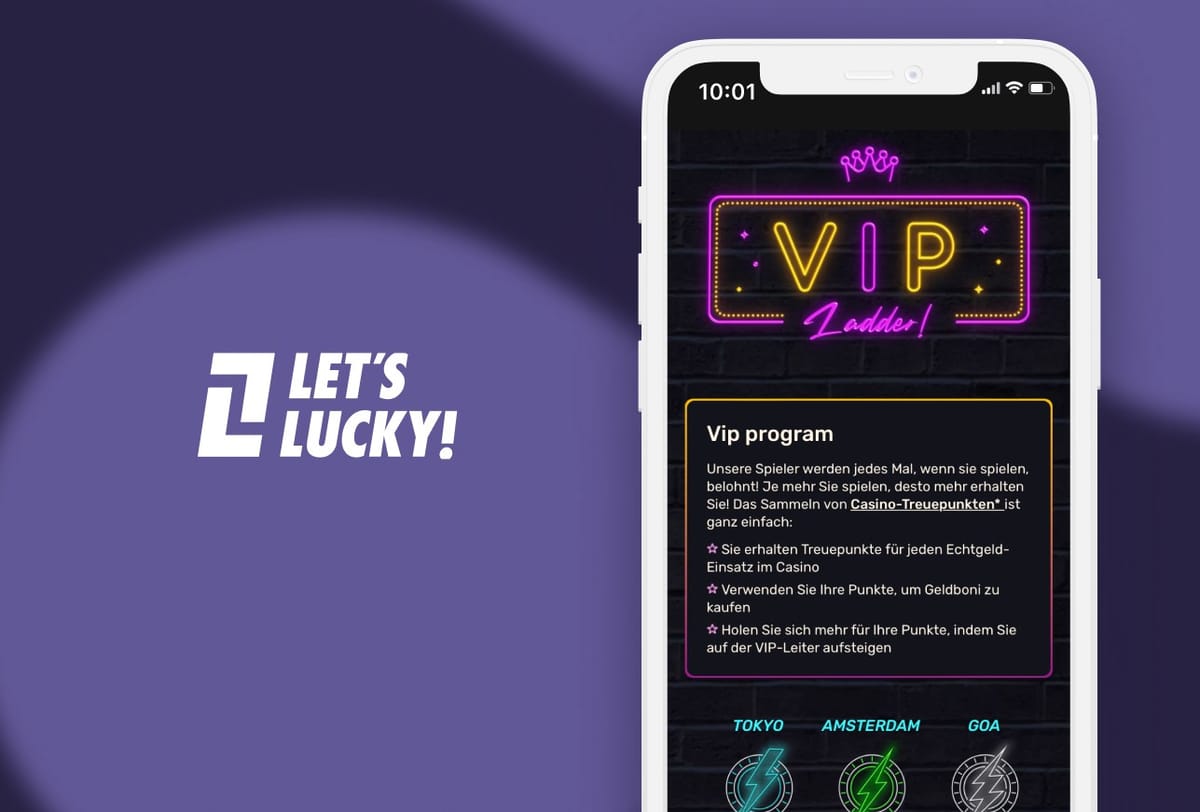
Lets Lucky App Setup And Sign-In
Setup is where you prevent most future headaches: you pick secure credentials, confirm contact details, and prepare for verification before your first cashout. Imagine you finally get a quiet evening and open the app. You realize your recovery email is outdated - that’s an easy problem to avoid upfront.
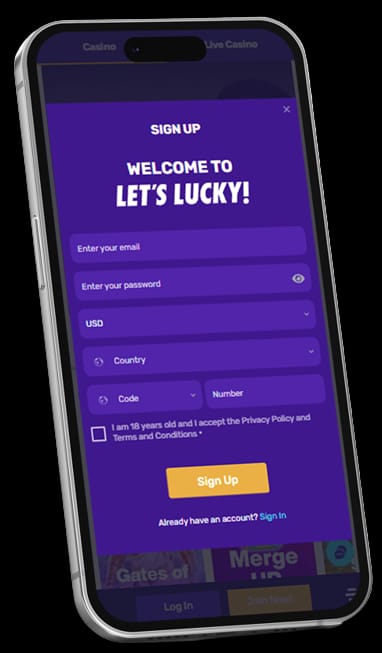
The flow is simple: confirm you’re 18+, enter basic details, verify email or phone, then review privacy and limit settings before you play real money.
Create An Account In Minutes
Use an email you control and a phone number you can access, because codes and recovery steps depend on them. Slow down, double-check, and do one test sign-in immediately after registration. Next, tidy your profile settings.
Keep Your Session Secure
Enable biometric lock if available and avoid saving passwords on shared devices. If two-step verification is offered, turn it on. It’s the easiest way to stop a leaked password from turning into a real loss.
Deposits, Cashouts, And Identity Checks
Banking is where players judge a platform fastest, so approach it like a checklist: choose method, confirm currency, enter amount, approve, then return to the lobby. The smoother path is planning: keep profile details accurate, save receipts, and expect that withdrawals can involve extra checks.
Deposits are often faster than cashouts, and different methods can have different limits. Focus on consistency for your first payout: one main method, one device, and a stable connection. After each transaction, take ten seconds to check your history and note the status.
Add Funds With Common Methods
Make your first deposit a test: pick a comfortable amount, confirm you see the balance update, and stop if anything looks unclear. Many players separate “play money” from “life money” by using a dedicated payment method. On mobile, that separation helps because one-tap approvals can feel too effortless.
Request A Withdrawal Without Stress
Before you request a payout, confirm you’re in the right account, your details match, and your phone has enough battery. Submit the request, keep the confirmation visible, and check that it appears in your transaction history. If documents are requested, treat it as a one-time admin job.
Why Payments Sometimes Pause
Pauses often come from safety flags: mismatched name, incomplete profile fields, rapid retries, or a sudden device change. The practical fix is boring but effective: confirm email, update details, and wait for review if needed. Another common issue is method mismatch. Keeping deposits and withdrawals consistent for your first cashout usually reduces extra checks.
| Payment Option (General) | Typical Deposit Speed | Typical Cashout Speed | What You May Need | Notes For Mobile Users |
|---|---|---|---|---|
| Bank Card | Often Instant | Varies By Checks | Card Verification | Confirm approval steps; avoid public Wi-Fi |
| Bank Transfer | Slower | Slower | Account Details | Better for planned transactions |
| E-Wallet | Fast | Fast To Medium | Wallet Login | Watch for app-to-app switching |
| Prepaid Voucher | Fast | Not Always Available | Voucher Code | Useful for strict budgeting |
| Mobile Banking App | Fast | Medium | Bank Approval | Keep alerts on for confirmations |
Games, Filters, And Smooth Performance
A mobile lobby can feel endless unless you decide what you want before you scroll. Imagine you have ten minutes before a meeting. You don’t want to spend eight of them searching. Use favorites, search, and filters so you can launch a game quickly and stop on time.
Performance is a mix of network and phone hygiene. Close background apps, switch to stronger internet, and lower animation or quality settings if the platform offers them. Also watch for features like rapid spin or autoplay. They can make a session feel faster, but they also make it easier to lose track of time and spend.
Browse Categories And Pick Quickly
Keep a short favorites list - three to five games you actually play. It reduces decision fatigue and keeps sessions focused. Use categories as a map: quick play, feature-heavy games, or low-stake options depending on mood. Deliberate selection matters more than chasing “the best” game.
Use Practice Mode To Test
If practice play exists, treat it like a rehearsal. Use it to learn controls, bonus triggers, and whether the game feels comfortable on your device. Once you know what fits your screen, you can build a personal library that stays enjoyable, even on one-handed play.
Set Limits Before You Spin
Limits work best before emotions start driving decisions. Set a deposit cap, a loss limit, and a session timer, then honor them. Add one extra rule: after any big swing (up or down), take a five-minute break. That pause is often the difference between control and impulse.
Support, Notifications, And Safer Play
Support is easiest when you know where it is before something breaks. Open the help area first, try the basic steps, then contact support with clear details. Notifications should protect you, not push you. Keep security alerts on, reduce promo noise, and use timeouts or self-exclusion tools if play starts feeling automatic rather than planned.
Talk To Support From The App
Write like a technician: what happened, when, on which device, and what you already tried. Include the status (pending, processing, rejected) and any error text, and you’ll usually get a faster, more specific response.
Use Timeouts And Self-Exclusion
Timeouts are short breaks you choose; self-exclusion is a stronger lock that lasts longer. The best time to put a barrier in place is when you’re calm. If control feels shaky, choose the strictest option available and step away.
Control Alerts And Privacy
Keep alerts for logins and withdrawals, and turn off anything that nudges you to play at random times. For privacy, hide lock-screen previews and avoid playing where others can watch your cashier screen.
What Changes When You Travel
Travel can trigger extra checks because networks and locations change. Keep access to your email and phone number, and do major actions like withdrawals on your usual network when possible. International travel can change availability and payment acceptance entirely.
Reduce Data And Battery Drain
Lower brightness, disable vibrations, and avoid playing on unstable mobile data. A simple “casino mode” routine helps: close apps, connect to stable internet, and play in shorter blocks. If battery saver causes lag, turn it off during sessions and reduce time instead.
Quick Checklist Before Your Next Session
A good routine is intentionally boring: charge your phone, connect to stable internet, confirm limits, then play for a set time window. Decide your stop rule before you start, and stick to it. If you feel tired, stressed, or tempted to chase losses, take a break and return later with a clear head.
Two quick self-check questions help: “Am I playing because I planned it, or because I’m avoiding something?” and “Would I be okay if this session ended at zero?” If either answer feels uncomfortable, pause and return later with a clearer mindset.
FAQ
Update your device, use trusted installation sources, and read every permission prompt before confirming. Imagine rushing and clicking through warnings. That’s when you miss unusual access requests. Install on stable internet, restart once, then open settings to enable security alerts and limit tools.
Common causes are expired codes, incorrect recovery details, or app cache issues. Picture copying a code, switching apps, and returning too late. It happens. Clear cache, request a fresh code, confirm time and date settings, and if it repeats, contact support with the exact error and timestamp.
Often yes, because verification helps protect accounts and reduce fraud. Imagine depositing first and only later learning documents are needed. That can slow your first payout. Prepare clear photos in good light, submit only what is requested, and keep your profile details consistent.
Check whether it shows pending, processing, or rejected, then avoid canceling and re-requesting repeatedly. Imagine resetting the queue every time you panic. It can extend delays and trigger extra checks. Confirm any email prompts, keep the same device and method, and review whether your profile details match what the payment method expects. If the status doesn’t move after reasonable time, send support the amount, method, exact time of the request, and any screenshot of the status so they can trace it quickly.
Use deposit caps, loss limits, and session timers, then add your own stop rule in notes or a calendar alarm. Imagine winning early and feeling unstoppable. That’s when limits matter most, because the urge is to raise stakes and keep going. Keep sessions short, take a real break between deposits (walk, drink water, do something offline), and decide in advance what you will do with wins, such as cashing out a portion and stopping for the night. These small routines keep play firmly in the entertainment zone.
Yes, device changes can trigger security reviews, especially around withdrawals. Imagine you switch phones and immediately request a payout. The system may ask for a new code or documents. Keep access to email and number, update any changed profile fields, and try major actions from your usual network until the first cashout clears.
Access may work, but travel and public networks raise both security prompts and privacy risks. Imagine playing in a cafe where someone can see your balance. It’s not worth it. Avoid deposits on unknown Wi-Fi, use private connections when possible, and consider free play until you’re back on a trusted network.
Start Your Mindful Play Session Today
Ready to experience mobile gaming designed for intentional play? Get started with a secure setup and built-in tools to keep your sessions enjoyable.
Play Now!